Desmos Test Mode: The Complete Exam Guide

Desmos Test Mode is the exam-safe version of the Desmos graphing calculator. It gives students the full power of Desmos during a test, plotting, tables, sliders, and all, while locking down everything that could be used to cheat. If you have an exam coming up, this guide explains what Desmos Test Mode is, where it is allowed, and how to practise with it before test day.
What Is Desmos Test Mode?
Desmos Test Mode is a restricted version of the Desmos graphing calculator built for exams. When Test Mode is on, the calculator works normally for maths, but internet access, saved graphs, and other apps are blocked. The student cannot leave the calculator to look something up, and the teacher or invigilator can see at a glance that Test Mode is active.
It is the reason Desmos testing is trusted by exam boards across the United States.
Where Is Desmos Test Mode Used?
Desmos Test Mode is approved for many state assessments in the US, and a version of the Desmos calculator is built into the digital SAT and the ACT. Millions of students now take exams with a Desmos calculator on screen instead of a handheld device.
Your school or exam board decides which calculator is allowed, so always confirm the rules for your own test. But if Desmos is on the approved list, Test Mode is how you will use it.
How to Use Desmos Test Mode
On the web
- Open the Desmos Test Mode page on desmos.com.
- The calculator opens in its locked-down state.
- Use it exactly like the normal graphing calculator: type equations, plot graphs, and use tables.
On a phone or tablet
- Download the free Desmos Test Mode app (separate from the main Desmos app).
- Open it before your exam. Once Test Mode is active, the device stays locked to the calculator.
- To exit Test Mode, follow the on-screen instructions, usually a long press or a code from the invigilator.
What Is Locked in Test Mode?
In Desmos Test Mode, the following are disabled:
- Internet browsing and other apps
- Previously saved graphs
- Sharing or importing graphs
- Any feature that could bring outside information into the exam
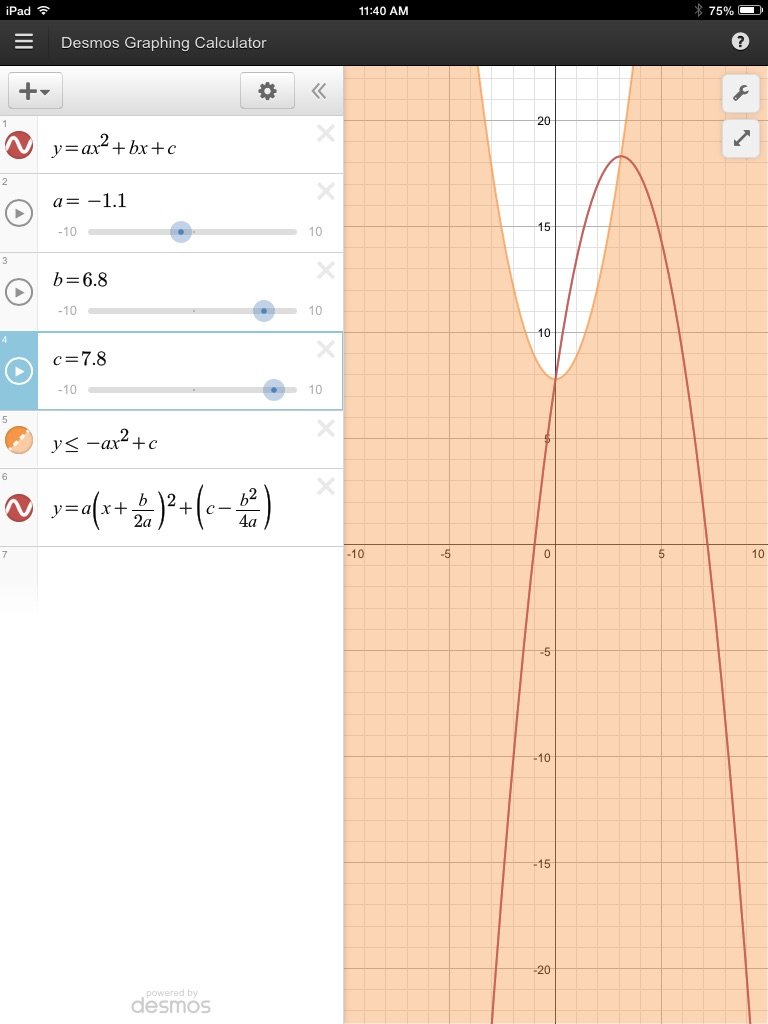
Everything else works: graphing, sliders, tables, tracing, and all the normal calculator functions. The maths is untouched, only the distractions are removed.
How to Practise for Your Exam with Desmos
The biggest mistake students make is meeting the exam calculator for the first time on exam day. Do this instead:
- Practise in Test Mode, do at least a few full practice papers with the Test Mode calculator, not the normal one.
- Learn the keypad, know where the fraction, exponent, and trig buttons are without hunting.
- Practise graphing under time pressure, plot a function, find its intercepts, and trace points quickly.
- Use sliders in revision, not in the exam, sliders are great for learning, but in a timed test you want to type values directly.
- Check your exam’s calculator policy, confirm whether Desmos is allowed, and whether it is the on-screen version or the Test Mode app.
Desmos Testing Calculator: What to Expect on Test Day
On test day, the Desmos testing calculator will look familiar if you have practised. The layout, the colours, and the buttons are the same as the calculator you already know. The only difference is what is missing: no saved graphs, no internet, no distractions.
That familiarity is the point. Students who practise with Desmos score better not because the calculator does the work for them, but because they do not waste time fighting the tool.
Frequently Asked Questions
What is Desmos Test Mode?
Desmos Test Mode is a locked-down version of the Desmos graphing calculator for exams. It blocks the internet, saved graphs, and other apps while keeping the full calculator available.
Is Desmos allowed on the SAT?
Yes. A version of the Desmos graphing calculator is built into the digital SAT. Practising with Desmos beforehand is the best preparation.
Is Desmos allowed on the ACT?
Yes. The ACT also includes a Desmos-based calculator in its digital testing experience.
How do I turn on Desmos Test Mode?
On the web, open the Test Mode version of the calculator. On mobile, download the separate Desmos Test Mode app and open it before the exam.
Can I use my saved graphs in Test Mode?
No. Saved graphs are blocked in Test Mode. That is the whole point, every student starts from a clean calculator.
Is Desmos Test Mode free?
Yes. Like everything from Desmos, Test Mode is completely free.
Conclusion
Desmos Test Mode takes the calculator students already love and makes it exam-safe. If your test allows Desmos, do not walk in cold: practise in Test Mode, learn the layout, and arrive knowing exactly how your calculator behaves. On test day, the tool should be the last thing on your mind.
This is an independent guide. Desmos is a product of Desmos, Inc. (now part of Amplify). This website is not affiliated with, endorsed by, or sponsored by Desmos or Amplify. For the official tools, visit desmos.com.
Read the complete guide: Desmos Graphing Calculator: The Complete Guide for Students & Teachers